San Francisco is famous for its regular layer of moist fog and blessed with a mild year-round climate. Too cool and mild. I’ve tried without success, to grow vegetables and fruits in the backyard. So I was thrilled to be sent a Gardencube hydroponic grow grow system to test and evaluate.
The unit has a built in bank of LED grow lights so you can set it up anywhere indoors, such as a closet, bedroom, or garage. I choose the laundry sink, the darkest place in my basement. For the test, I purchased heirloom tomato, cilantro, and basil seeds and filled up the hydroponic tank.
It took about 3 days for the seeds to germinate (you don’t need to power the unit for that part). I plugged in the unit and activated its built-in water pump and LED lights. It offers options for standard green leaf growth and a lighting option to encourage flowering for fruits and tomatoes.
After 2 weeks of growth I could identify and differentiate the planets. I discovered I had mistakenly planted one too many cilantro and had to cull it and re-planted tomato seeds. The tomato plants grew the fastest, the basil the slowest. After 3-4 weeks, though small, cilantro and basil could be harvested, one leaf at a time.
Even after only a few weeks, I can confirm the Gardencube works as a hydropnic growing device. It remains to be seen if the small grow pods can provide enough of a base to growing full-sized plants that can be harvested year round. And of course it remains to be seen if my tomato plants will actually bear fruit (I’m not sure if they pollinators?)
For those interested ingrowing other planets, such as the kind you can smoke or ingest for recreational use. I don’t have any experience to share with you. But for growing temperature sensitive vegetables; it works.
Purchase on Amazon through this Affiliate Link: https://amzn.to/3TNix1f and help support us.
Night vision (light enhancing) scopes have been used by hunters and soldiers since the Vietnam War but even today these devices can cost thousands of dollars. With progress of technology, these devices have shrunk in both size and price. The Commander NV100 is a digital video camera that is designed to mount directly onto a typical rifle scope and turn it into a night vision scope. Oneleaf technologies sent me an NV100 to test out.
Almost all digital video cameras can see in IR light but most have a built-in optical filter that block out most IR light which can distort and fog an image in normal light. Using the NV100, you are looking at its built in digital display viewfinder much like you would with an old-school video camera. In fact, when using the NV100 in normal light, the image looks slightly blown out with a glow on objects, a side-effect of IR light.
The NV100 can record 1080p videos and photos onto a micro-SD card. It runs of a rechargeable CR18650 battery which can be recharged using a micro-USB cable. The unit can also record sound and output though a 3.5mm headphone jack, though the audio sounds compressed and low fidelity.
In practice the NV100 is equivalent to a Gen 1.5 night vision monocular. To a small degree it can passively enhance low-light images but in reality, it does require IR illumination to function as intended. The unit has a built-in IR illuminator and visible red laser to light up and aim at targets.
The NV100 can be used as a hand-held Night Vision monocular. It has a standard 1/4(20) camera screw mount at its base to allow the unit to be mounted on photo tripods. OneLeaf does not offer any type mounting system or adapter to attach it to a helmet or headband.
Where the NV100 shines is its ease of mounting to a rifle scope. The packing includes a 42mm, 45mm, and a 48mm adapter collar to allow you to mount it to your scope (some spotting eye-pieces may be too large even for the 48mm adapter). The NV100 attaches to the collar via bayonet style locking ring; the package also includes a roll of electrical tape to assist in shimming your eye-piece to provide a more secure fit for the adapter collar.
When mounted to a rifle scope, the image you see in the NV100 appears like a low-resolution videocam viewfiender. The unit’s menu system is accessed through the viewfinder and the buttons on the unit function like a D-pad for navigation through the menu system. Adjustments in focus are made through the NV100 large physical focus knob.
I could get a decent focus of an object 100yrds away but I could not get both my target and the reticle in the same plane of focus, despite adjusting the scope’s paralax focus, ocular focus, and the NV100’s focus. I could get both somewhat in focus at my scopes lowest magnification (4x) but found it impossible at magnifications greater than 6x.
I was easily able to see objects 100yrds in low light and even faintly in pitch-black in its full-color video mode. Switching to B&W mode activates the unit’s built-in IR illuminator, an IR LED flashlight with a lens that allows you to adjust the beam from flood to focused. Oneleaf claims it can illuminate objects up to 300m away.
In B&W IR mode, the issues with depth-of-focus were even more pronounced. The reticle was blurred to the point of invisibility when my scope was at 20x magnification. Given that IR illuminators are far shorter range than visible light flashlights, long range engagements using a scope and the NV100 may be a moot point though some users have posted varmint hunts at ranges out to 200yrds or more.
The NV100 does have two shortcomings, the first one is a potentially a deal-breaker for some hunters. In my testing the NV100 has a short 1.5″-2″ eye-relief from the back of its eyepiece (OneLeaf claims up to 2.75″). This is fine for shooting 22LR or even 5.56mm AR’s. But on a large caliber rifle this short eye-relief could easily cause scope bite. OneLeaf does include some larger eye-cups which could provide more padding but a real solution would be to design a viewfinder eyepiece with a minimum of 3″ of eye-relief.
The second issue is minor but annoying. The image the NV100 displays is distorted, with the vertical proportions appearing shorter than the horizontal giving you a squashed image of your target. This is also evident in the movies and photos you take with the NV100.
Overall the Commander NV100 works as advertised without breaking the bank (though the latter is relative the cost of higher-end NV systems costing hundreds more). On my wish-list of improvements would be a firmware update to allow adjustment of X/Y proportions of the image, a lanyard loop to attach a wrist or neck lanyard for handheld use, and an adapter arm to attach it to a GoPro or PVS-14 mount.
The OneLeaf Commander NV100 is available through this Amazon Affiliate link: https://amzn.to/4kMPrO6
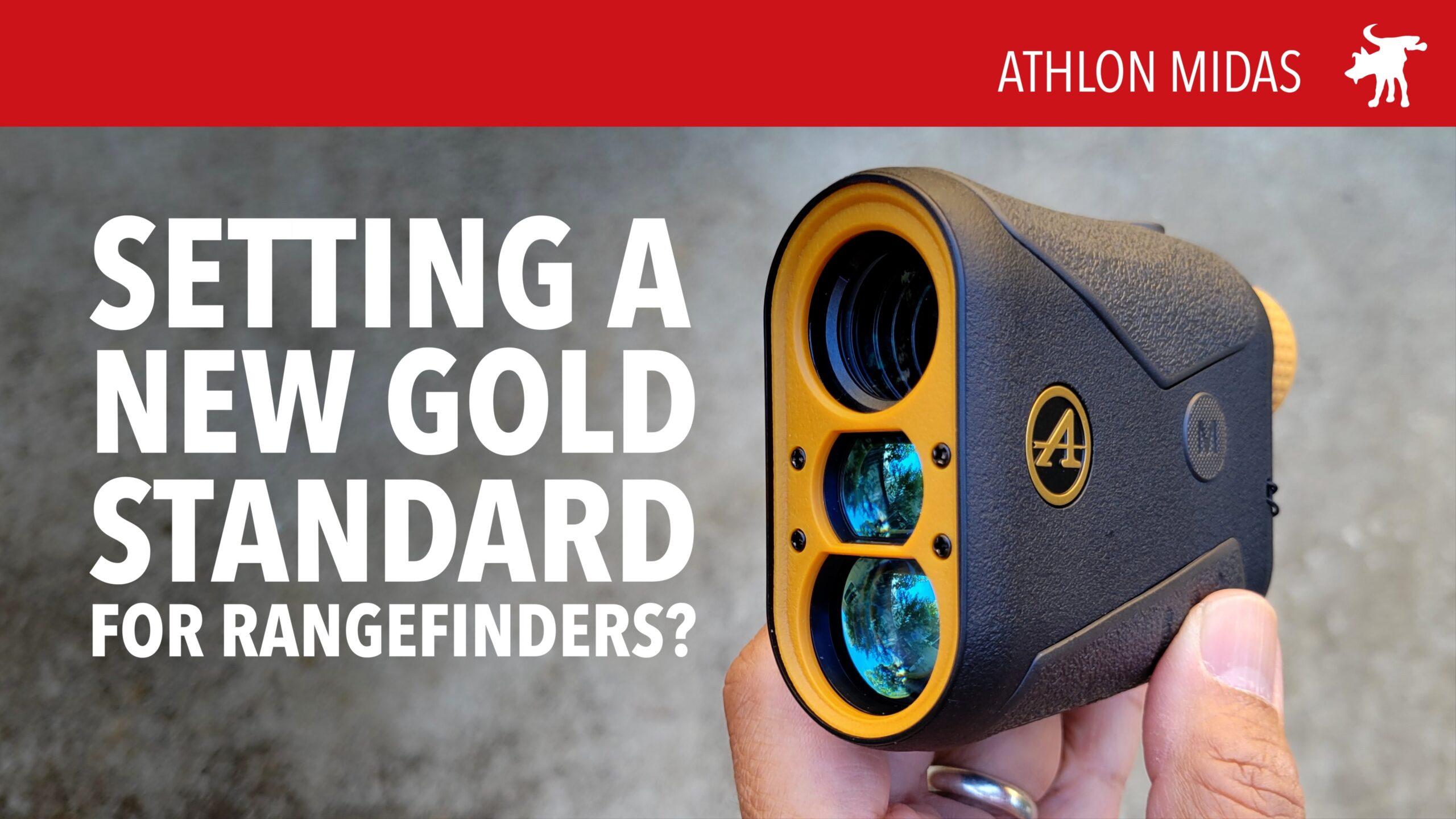
Years ago I bought a cheap $50 golf laser rangefinder. It does the job, measuring distances out to 500-600yrds but I’ve always envied the hunters and shooters who had laser rangefinders that could call out distances to +700 yards. That’s why I was excited when Athlon sent me their Midas 1 Mile Laser Rangefinder to test out. And I’m sure with the start of hunting season in much of the country, others are eager as well.
My first impression of the unit was that it felt lighter than my golf rangefinder, while feeling far more solid though both have plastic bodies. The Athlon has a textured brown body with thicker rubberized panels at your handholds to provide a more secure grip with wet hands or wearing gloves.
The viewfinder has a fixed 6x power magnification. Sadly not to the level of Athlon’s 6x scope optics but par for the course for a range finder (or a dirt-cheap budget binocular). The image is clear-ish and I was able to differentiate car sized objects about a mile away.
The unit comes with a single CR2 lithium battery housed in a battery compartment with a coin slot screw cap. The cap has a rubber o-ring to keep it water tight. The manufacturer claims it is “rain resistant” which means it is not “water proof” or submersible. But remarkably it is covered under Athlon’s No-Fault Lifetime Warranty.
The menu options are visible through the viewfinder in a projected display. You can choose measurements in meters or yards, and it has a golf or hunting mode (the later displaying the distance in a furthest of target in a group). The unit can also be set to display vertical, linear, and horizontal distance to your target.
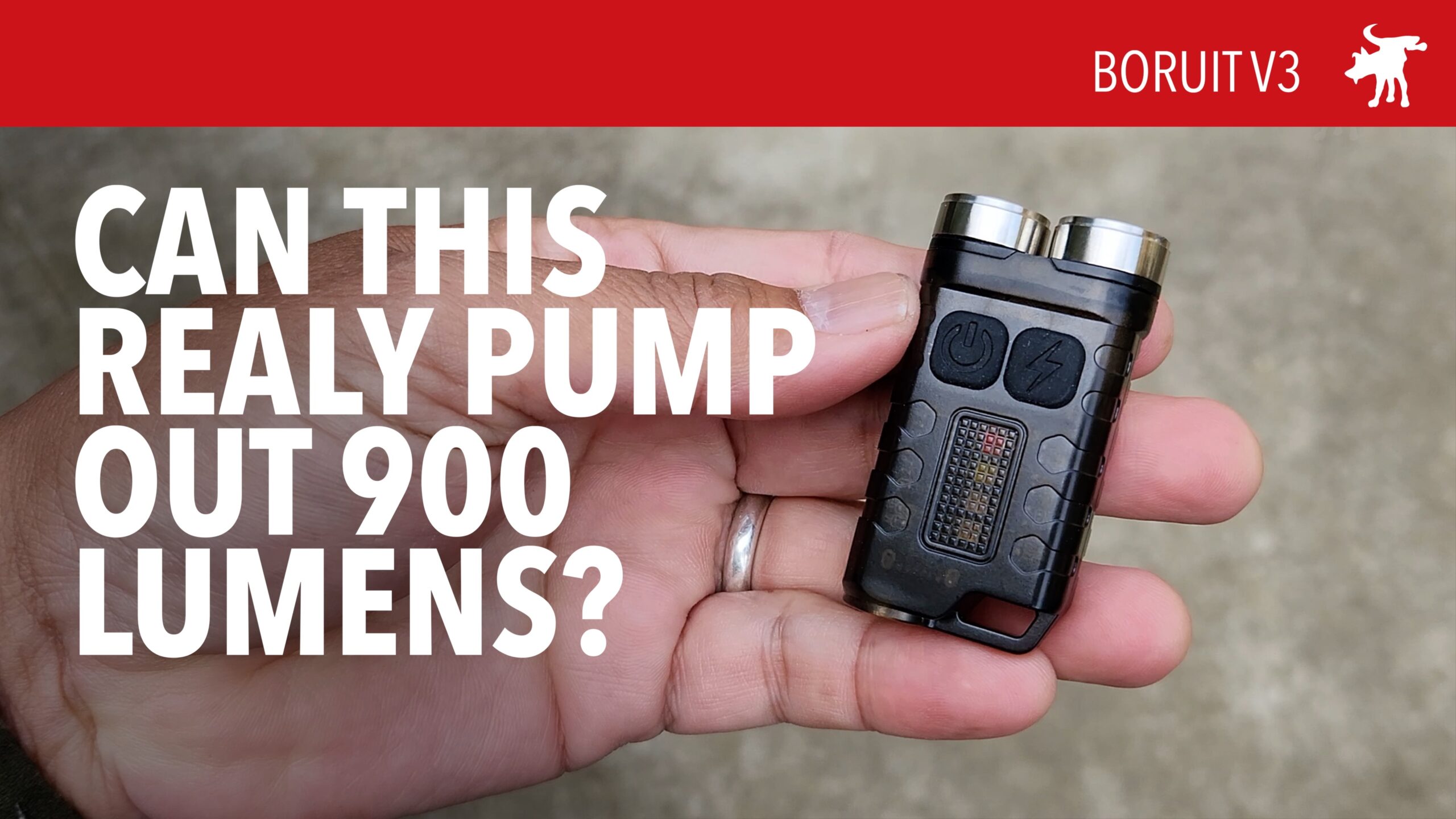
The current trend in EDC lights is creating ever smaller flashlights that are ever brighter. I was sent a BORUIT V3 EDC light to test and review. This micro-EDC light is the size of a Car alarm keychain dongle and its packaging promises to output up to 900 lumens.
The device has a smoke colored clear polymer body with two buttons and a covered SUB-C charging port. On one end is a twin-head LED emitters and the other end has a keychain loop and a rare-earth magnet end that allows the light to magnetically mounted and used hands-free.
One button activates the primary twin-lights. The device has high, medium, low, and endurance (candlelight) modes. Double-tap for continuous light, short tap for momentary, and long-press activates the devices Turbo mode which BORUIT claims is 900 lumens. It is very bright but in my testing, I suspect this number is inflated.
The other button double-taps to activate small set of LEDs. There is a high, low, red, blinking-red, and blinking-red/blue modes. This appears to be for specialized low-light work when tail-standing, magnetically mounted, or as an emergency signal.
I drop tested and water-jet tested the unit which passed without issue. The beams from the twin-headed unit cast a wide flood pattern that are still able to illuminate objects from over 100ft away. Unfortunately, in lumen testing the unit fell short.
I fully charged the unit overnight and let left it on high output for over 1-minute to stabilize the battery. The device specs claim the unit is 650 lumens on high mode. I measured 360 lumens. I also tested the unit in low which claims to be 150 lumens but I recorded only 50 lumens (less than half its stated output). Based on these numbers, I doubt it is capable of outputting 900 lumens in turbo.
Despite its over-inflated lumen numbers, the light is perfectly sized as an EDC or emergency light. For those that don’t want to carry in their pocket, it’s form factor makes it easy to clip-on to accessories or keys. And given it’s features is a reasonable purchase for less than $20 (some clones for even less than $15).
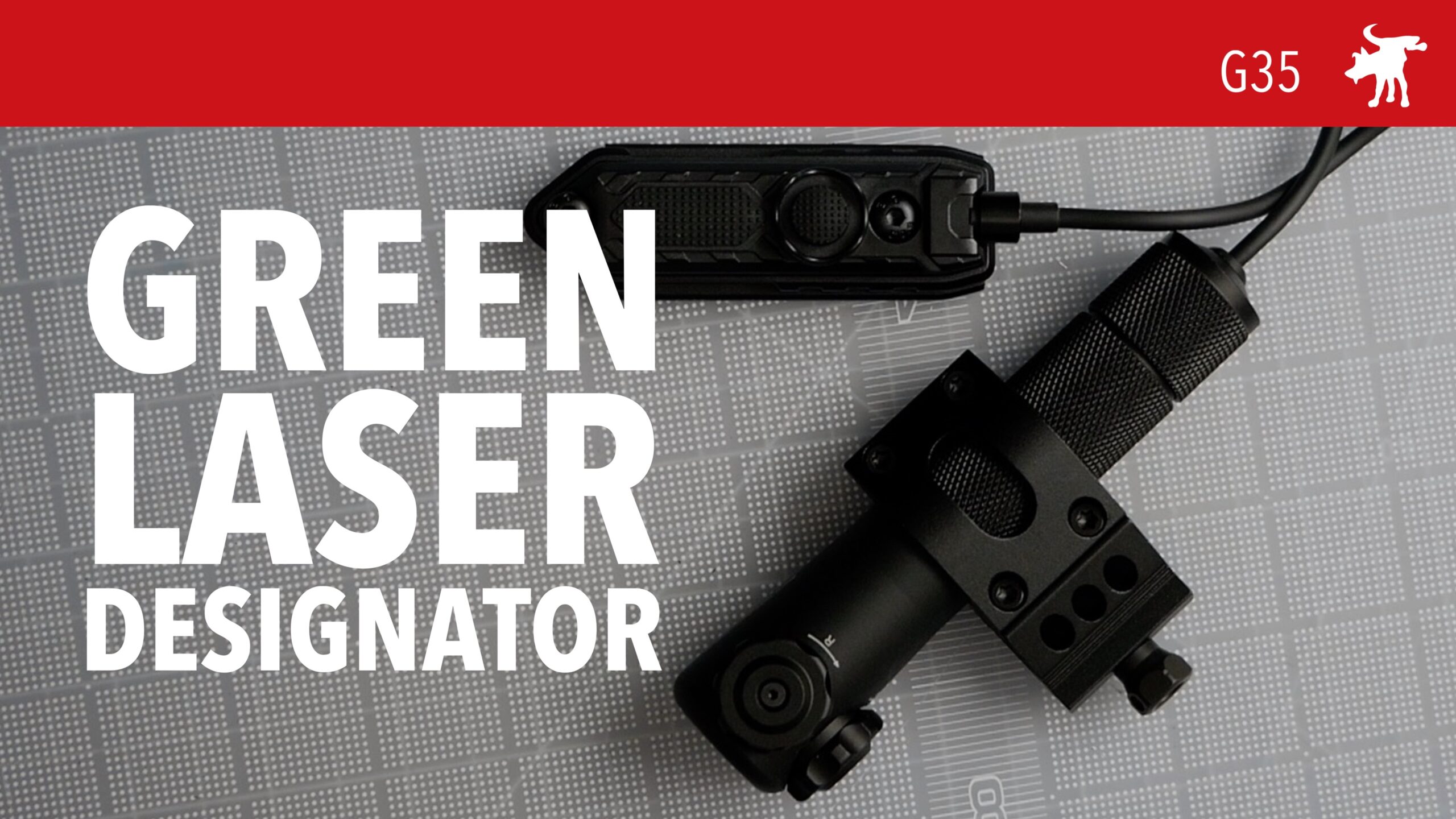
Raytice sent me their G35 Laser Designator to test and evaluate. In function this is similar to weaponlights with a scope ring style mounting system. Like a EDC weaponlight, the unit comes with a tail clicky button to activate the 5mw green laser
It comes with a Picatinny ring mount, 18650 Li-Ion battery, USB charger, and optional wired activation switch. Switch pad has an off/on button and momentary-on pressure pad and can be mounted via Pacatinny or M-Lok. The manufacturer claims the unit with a fully charged battery, can operate for up to 1000hrs.
Mounting is similar to a weaponlight. The unit has dials/turrets to adjust windage and elevation of the projected beam. The dot is visible in daylight at 50yrds and much further at night.
Shooting free-standing, I was able to shoot a 4″ group at 25yrds using the laser as my aiming device. Functionally it’s similar to aiming with a red-dot but with the added benefit of having your aim point visible to others. While this may be a liability to some, it would be useful to firearms instructors, as it easily reveals where their student was aiming when they took the shot.
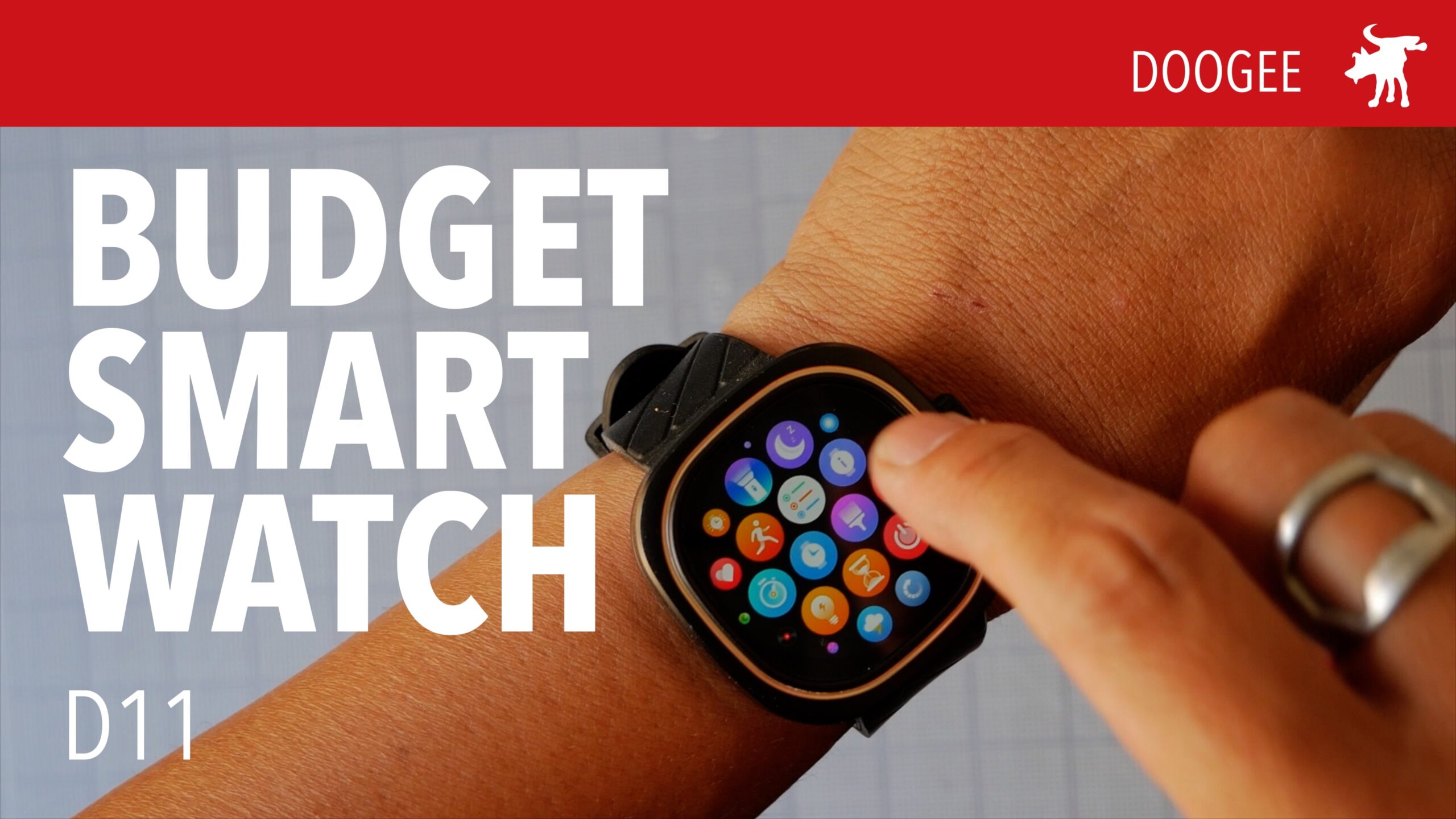
A lot of people like Smart Watches. Who doesn’t like knowing how many steps they’ve taken, their heart rate, checking the weather. But the Apple Watch costs almost as much as a phone (an Android phone, not an iPhone) and the cheaper Samsung watches have to be charged daily.
Now for the price of a basic Fitbit, you can get much of the bells and whistles of a full-featured Smart watch, the D11. A sample was sent to me by Doogee to test out. I’ve worn it for almost a month now and its a definite step up from my old Fitbit Inspire.
The package was plain white with no logo or branding. Inside I found the watch, owners manual, a USB charging cable, and a replacement set of black wrist bands. The watch came default with a black and orange silicone rubber wristband that was nice but I found the color a bit too distracting for my YouTube videos so I switched it to the black bands.
The D11 was waterproff, surviving daily showers and hand washing. The manufacturer claims 15-days of standby power. In normal use, I averaged about 6 days before the watch shut down and I had to recharge it which took about 20-30 minutes. The charging cable is magnetic and proprietary.
The D11 requires the download of the Gloryfit app on your Android phone to customize and control many of the phones features. I discovered too late for the video review that the Gloryfit app does allow the download of +200 additional watch faces. This process takes about 2-3 minutes to complete and the phone appears only able to have 1 custom watch face memory slot; downloading additional watch faces on the App deletes the previous design from you watch.
The watch has about two dozen built-in Apps but a fair number of them are just settings such as brightness. The rest range from a stopwatch, weather, phone, music controls. There does not appear to be a means to add new Apps to this phone through the Glorfit App.
You can send and receive phone calls. The watch has a built in speaker and microphone and the audio quality was adequate for voice calls. While you can not watch videos or browse the web, you can use the watch as a bluetooth speaker for your phone, but the audio quality sounded tinny and left much to be desired for music.
The D11 also has a number of health monitors typical of fitness phones such as heart rate, blood oxygen levels, stress/mood, sleep patterns, and blood pressure. Though the accuracy of some of these monitors is suspect (blood pressure is notoriously unreliable using light measurements).
The watch face turns off to conserve power but is slow to wake. It has a look-to-wake feature (that supposedly activates when twist your wrist to look at the face), is unreliable. I almost always have to press the bezel to turn it on and even then there is a 1-1.5 second lag that is just annoyingly laggy. And the screen never seems to stay on long enough. Overall I like core features of the phone but not its functionality and user experience.
Still, I plan to wear this until I wear it out. Be prepared for an update whenever the latter occurs.
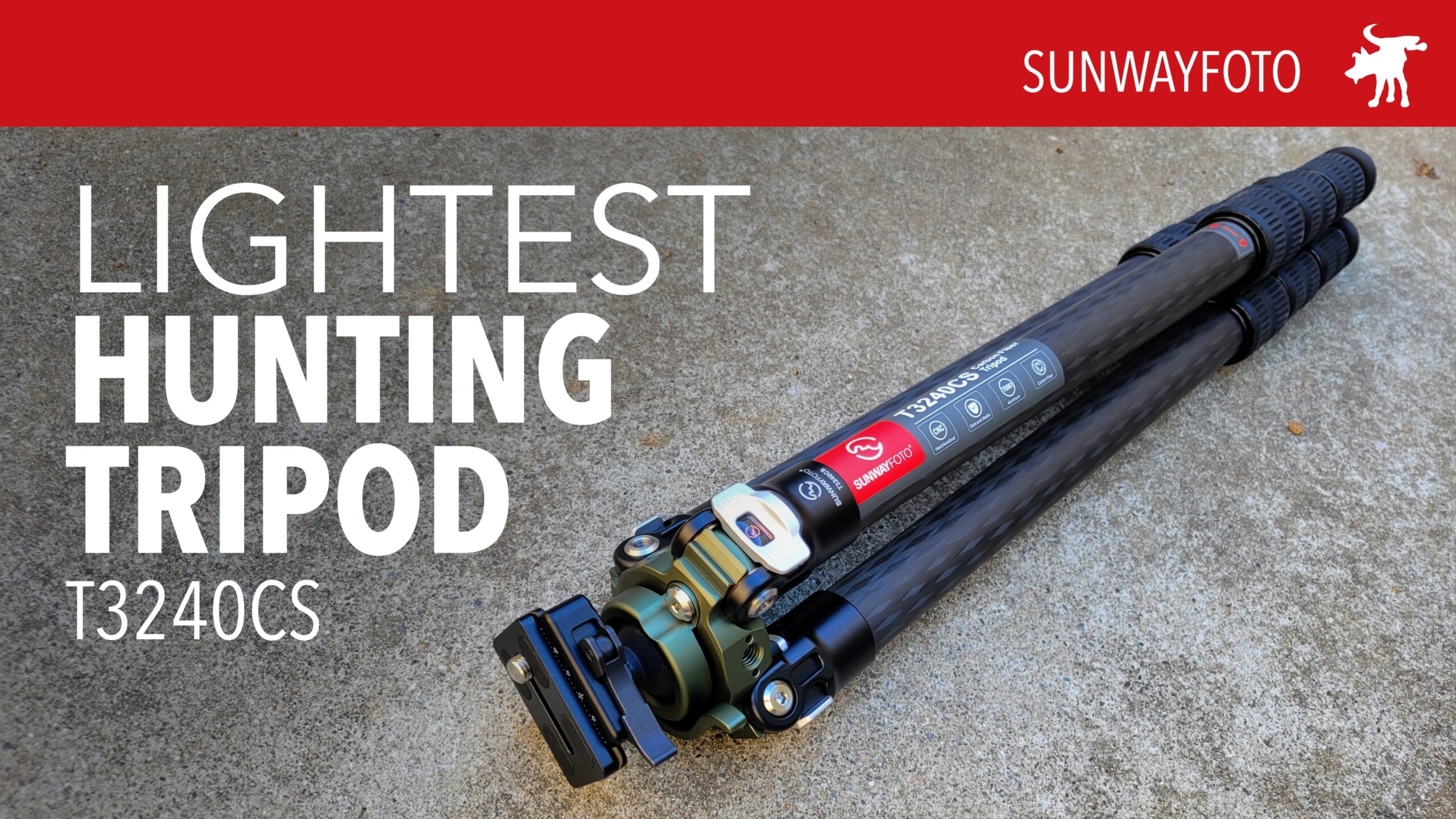
Sunwayfoto is known for making high quality photo and video tripods. Their feather light 1.6lb carbon fiber tripod is now my go-to tripod for vlogging. Recently, Sunwayfoto entering into the hunting/shooting market and sent me a sample of a heavy-duty carbon fiber tripod with a built-in ballhead that together weighs only about 3.5lbs.
The T32340CS’ carbon fiber legs are 32mm with twist-style leg locks that are environmentally sealed; you can hear the air whoosing out of the top of the tripod when you collapse the legs. The legs locked easily with beefy ruberized locking rings and wide rubber feet which can be replaced with spikes.
The ballhead is recessed in the leg base to “lower its center of gravy”, though how that helps a tripod that already has variable angle legs is questionable. This recessed height does limit the tilt angle of a mounted rifle to 35º; still quite usable for high angles of engagement. The ballhead is topped with an excellent quick-release Arca-Swiss compatible mount.
UPDATE: RRS DESIGN US tripod maker RRS (Really Right Stuff) originated the unique design of the Picatinny/Arca-Swiss clamp. Chinese brands like Sunwayfoto copied it (shocking!). RRS holds the US patent https://rrssoar.com/patents, which is why the T3240CS that are sold in the US have tripod heads replaced by standard Arca-Swiss mounts. Here are a few legit RRS products that utilize the dual clamp patent:
The box comes with the tripod, padded case, replaceable foot spikes, and Allen keys. The strapped padded case is almost too compact, lacking extra room for add on accessories like Sunwayfoto’s Saddle Clamp head. If this tripod was aiming for the hunting/shooting market, the kit lacks a built-in level, stone hammock, and hook; all of which much be purchased separately.
Firing a heavy DMR style 5.56mm AR style rifle, the tripod provided more than adequate stability for quick follow up shots. I managed a respectable 3.5″ 5-short group at 100yrds in rapid fire. But testing it with a .308 bolt-action hunting rifle, the tripod left a lot to be desired.
The tripod’s light weight of 3.6lbs is ideal if you’re trekking to an upland hunting site but it is also a weakness. Without added weight, its difficult to be repeatable with a .308 or harder recoiling calibers. Furthermore, the ball head also shifted necessitating readjustment after each shot.
To add weight and stability its almost mandatory to purchase an after-market stone hammock for this tripod. It’s inexplicable that Sunwayfoto did not include this inexpensive cloth accessory in their kit or even a simple metal weight hook. I believe they include a hammock with their Explorer series of hunting tripods.
If light weight is a paramount concern with your hunting tripod, this may be the best choice on the market. Just be prepared to purchase a few more upgrades and accessories.
I was asked to review 1080p wearable flashlight and body camera, one of the first questions I asked was who made it. I was told the brand name was Kltcriter. I made sure it wasn’t a typo and yes, that’s the brand name. So I’m not going to attempt to pronounce it.
The bodycam is very compact, about the size of a Zippo lighter (I wonder if Gen Z and Millennials even know that as a reference point?) or a typical USB phone wall charger. It has a “U” shape design allowing the unit itself to clip over fabric or straps less then 5mm wide and secure itself. The unit can not bend much beyond that gap but it is secure enough to clip securely on a t-shirt collar, pocket, or backpack strap.
The unit has all of its functioning parts facing forward including 4 LED emitters, camera lens, and buttons. A 1/2″ long silicone rubber strip on the side of the unit protects the USB and Micro-SD card ports from the elements. The manufacturer states that the unit is IP65 rated (waterproof to rain and light water jets)
Testing the LED flashlight, I measured 176 lumens which is pretty close to the 200 lumens claimed by Kltcriter. Tapping the flashlight button switches the flashlight from high, medium, low, and off/on. Keeping the flashlight button pressed activates the red battery charge indicator and a blue flashing light under the white unit face. This “warning” mode is intended to function as a signal though it is not very bright and is dimmer than the main flashlight LEDs on low.
Fully charged, the specs state that the flashlight will run for approximately 3hrs with the LEDs on high, 2hrs with both the flashlight and the camera on, and 5.5hrs with only the camera. The unit starts recording with a tap of the camera button which also activates the blue “warning” light, which flashes while the camera is recording. A tap on the camera button will pause the unit with a steady blue indication light. A long press turns off the camera.
The camera does output 1080p AVI files but the footage looks like 480p spy cameras I’ve tested. The footage is grainy and low resolution and performs poorly at night or low light. The footage is timestamped. To set the time and other settings, the user to manually edit a Configuration TXT file loaded into the SD card upon automatic format by the camera. This control scheme is common with spy cameras and body cameras without a display screen.
At the time of this writing the Kltcriter bodycam is not yet being sold on Amazon or other US online retailers. This unit is a pre-production sample and I hope somebody in their marketing department informs them of the awkward pronunciation in English.
POSTSCRIPT It appears they changed the brand name to KSADBOSSBO after I gave them so much crap about Kltcriter. Though their new brand name just looks like somebody in the office mashed their keyboard randomly. Purchase this on Amazon through this Affiliate link https://amzn.to/3Tei34H
Feagle/Feyachi marketing sent me their PST35 sight tool to test and evaluate. These rigs are sometimes called “sight pushers” because there are a series of screws and plates designed to gently push off the rear iron-sights of pistol which are attached by dovetail groove and retained by pressure/tension.
This appears similar to the US made RockYourGlock sight-pusher tool. But the PST35 offers a hidden advantage. The handle of the pusher block is also a front-sight wrench, which can loosen the small bolt under your slide which holds a Glock’s front sight in place.
The PST35 is a pretty sizable rig/frame and large adjustment knobs. The frame has holes to screw/mount it on a work bench though in practice the process of sight removal or adjustment can be done purely hand-held. The frame appears to be mostly aluminum with steel screws so it seems quite robust.
After removing the slide from your pistol, you loosen the PST35 plates, and position your pistol slide in the center of the rig. After tightening the holding plates and securing the slide, you turn the main handle which pushes your rear sight off its dovetails and off your slide (depending on the design of your sights, be sure to loosen any set screws before attempting).
Installing sights is a revers of the process. The PST35 sight pusher has measurement markings (which appear to me in millimeters) to assist in aligning your sights. This is how you would also adjust your sights to properly align them for aiming your pistol.
This is a well built and useful tool if and when you need to change or adjust your sights. But like many specialty gunsmithing tools, this probably won’t be often or more than once for a typical gun owner. I suspect that this will probably get used most often when your gun buddies ask to borrow it for their new toy.
Conree contacted me and sent me a their electronic earmuffs to test. Hearing protection is a must when participating any shooting sport because hearing loss is caused by exposure from loud noises above 85dB and once damaged, hearing loss can not be healed. Along with eye-protection, it’s not worth it to cheap out and use a product that doesn’t provide the minimum level of protection promised.
I had never heard of the Conree brand before which is not a good start when choosing hearing protection. Fortunately, I have the tools to test the earmuffs before wearing. So if they failed to reduce noise to a safe level, I wouldn’t take them out to the range.
The Conree ME123 headphones come in a Spartan black box with an illustration of the headphones. Inside the box was a ~1.5ft 3.5mm audio cable, user manual, and the headphones. The user manual was as Spartan as the box, with very little instructional information, repeated in multiple languages.
The headphones are black plastic and light weight. The headband had a faux leather cover and allowed the ear cups to fold into a compact 5x5x4.5 configuration. The headphones run on 2 x AAA batteries, housed in the left earcup.
The earcup’s foam earpads are comfortable and provide a good air seal and sound isolation. The AUX jack can be used to connect the headphones to phone or radio. The sound level is dependent on the headphones volume level; when turned off, no AUX sound can be heard. The speakers have poor bass response and high volume output from my computer sounded clipped, so these are not headphones you would want for hifi music listening.
In my audio testing the headphones reduced ambient noise from my handvac by approximately 27dB; this is 4dB better than Conree’s stated 23dB NRR (Noise Reduction Rating). While the noise profile of a high-speed vacuum motor is not the same as that of a .44magnum handgun, it is a good enough for me to feel it safe to test these headphones on the range.
At the range, I was pleased to find that the headphones were light weight and comfortable for the 1hr I spent shooting my 9mm Glock. The headphones did respectable job. Unlike some headphones by Earmor and Caldwell, gunfire noise was attenuated (reduced) but not completely cut off, so I was able to follow people’s conversations around me rather than completely dropped out.
What I would have liked is a bit more max volume. Many of us use supplemental foam earplugs under our electronic earmuffs when we shoot indoors. The Conree’s max volume was barely loud enough to hear speech around me without earplugs, and not enough to amplify natural sounds of prey animals that are useful in hunting.
Overall, these headphones compare well against my Howard Leight Impact Sports. Not quite as low-profile or as loud but very close in audio quality and a bit better sound seal around the ears. I would recommend them for smaller heads or kids for whom Impact Sports do not provide a comfortable and secure fit.
A few days after my range test, I discovered that I had forgotten to turn off the headphones. The LED light was still on but I could hear no sound through the headphones. The unit has an auto shut-off after about 4 hours. This did work in my case to deactivate the headphones except for the LED light, but it did conserve battery life which still held a full-charge based on the reading from my battery tester.